How to Choose the Best Axial Fan Mini Fan?
Choosing an Axial Fan Mini Fan is not just a matter of finding the smallest unit. The right choice depends on airflow, available space, noise limits, power supply, and the resistance of the surrounding system. A fan that looks powerful on a product page may move less air once installed behind a grille or inside a narrow enclosure. Small details matter.
The International Energy Agency’s report, The Future of Cooling, projects that global electricity demand for space cooling could more than triple by 2050, reaching 6,200 TWh annually. That forecast concerns cooling systems broadly, not mini fans specifically, but it underlines why efficient airflow deserves attention. For a practical comparison, ANSI/AMCA Standard 210 sets laboratory methods for rating fan aerodynamic performance. Its focus on measurable performance helps buyers look beyond headline airflow claims. Airflow, static pressure, input power, and sound should be considered together.
This guide explains how to compare fan size, blade design, operating voltage, control options, and bearing type. It also covers noise, durability, and the conditions behind published specifications. A small mismatch can cause real trouble. A fan may fit the opening yet fail to cool a tightly packed cabinet. Specifications are useful, but they do not tell the whole story; checking the intended operating conditions is still essential.
How a Mini Axial Fan Moves Air
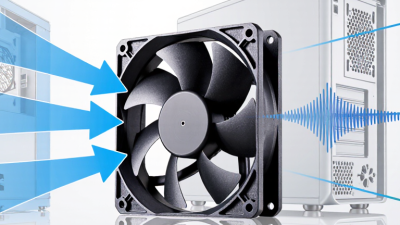
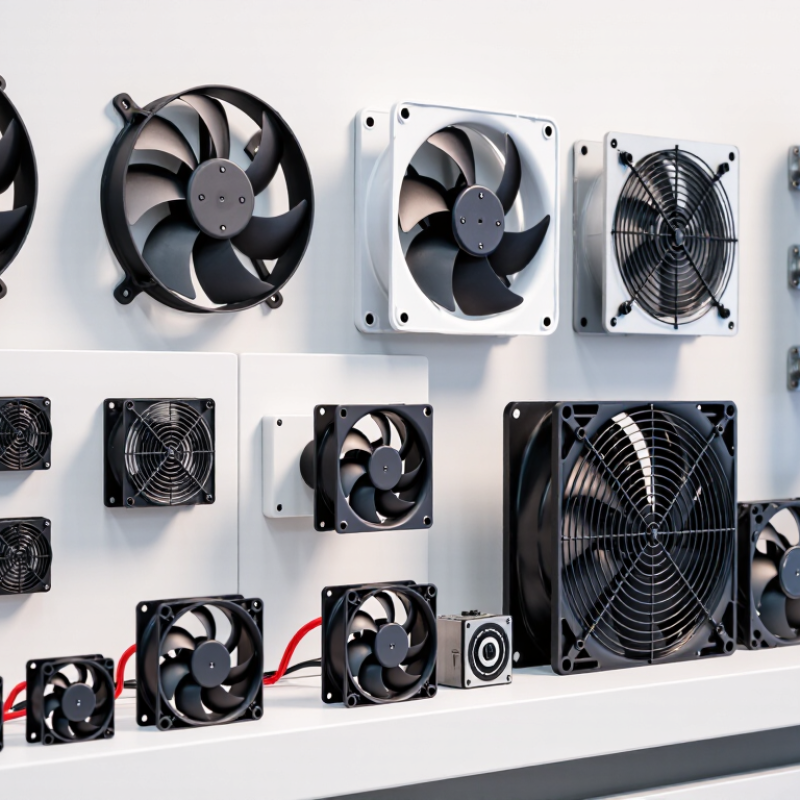
A mini axial fan moves air along its central axis, in a straight path through the frame. Its motor turns a small hub and angled blades. Each blade pushes air forward while drawing replacement air in behind it. Think of a compact propeller inside a square housing. The motion is simple. The details matter.
Airflow depends on more than blade diameter. Blade pitch, rotational speed, and the space around the inlet all affect performance. A fan may feel strong in open air, then weaken behind a dense filter or narrow vent. This is normal. The fan must overcome resistance, and its delivered airflow drops as that resistance rises. Check performance data at the expected operating pressure, not just a free-air rating.
For a practical choice, match the fan’s airflow and static-pressure capability to the enclosure, then consider noise, power, and available space. Keep the inlet clear; even a nearby cable can disturb flow in a very small unit. Measure the opening. Also consider vibration and mounting, because a loose panel can amplify a low hum. Specifications help, but they do not fully predict a finished setup. Test the fan in its actual enclosure when possible. I would not assume the largest rating is best; a quieter, well-matched fan can work better.
How a Mini Axial Fan Moves Air
Illustrative example: As resistance to airflow increases, a mini axial fan typically delivers less air. These representative values show the shape of a fan performance curve; they are not specifications for a particular fan. Check the manufacturer’s tested curve when selecting a fan.
Define the Cooling or Ventilation Requirements
Before selecting a mini axial fan, define what needs cooling or ventilation. Start with the heat. Estimate the heat produced by the equipment and identify where it collects, such as around a power supply or inside a compact enclosure. Then check the available space, including the fan’s depth and clearance around its inlet and outlet. A fan that fits the opening may still perform poorly if nearby parts block airflow.
Tips: Measure the enclosure opening and note any obstructions. Check the required airflow in cubic feet per minute, or CFM, and compare it with the fan’s performance under resistance. Filters, grilles, and narrow ducts can reduce actual airflow. Noise matters. If sound is important, review the rated noise level and operating speed, not just the fan’s size.
Match the fan to the real operating conditions. A warm, open cabinet may need less airflow than a tightly packed unit with restricted vents. If air must pass through a filter or duct, static pressure is worth checking alongside CFM. It is easy to focus too much on the highest airflow rating; that number alone may not reflect installed performance. Leave room for testing, since temperature and noise can differ from expectations once the fan is mounted.
Compare Airflow, Pressure, Size, and Power Ratings
How to Choose the Best Axial Fan Mini Fan?
A mini axial fan’s airflow rating is only useful when you know the pressure it must overcome. Compare the fan curve with your system’s operating point, not just its advertised free-air airflow. A restrictive grille, filter, or narrow duct can reduce delivered airflow. Check that the curve covers your required airflow and static pressure, measured in pascals. AMCA 210 and ANSI/ASHRAE 51 describe standardized methods for measuring fan airflow, pressure, and power. That makes test conditions worth checking.
Size matters in practical ways. Measure the available opening and clearance around the blades; a larger fan may move more air, but it may not fit or suit the enclosure. Then compare input power at the required operating point, rather than relying only on a maximum wattage figure. AMCA 208 defines the Fan Energy Index (FEI) for comparing fan energy performance at a specified duty point; an FEI of 1.00 represents the reference baseline. It is a useful comparison, not a substitute for checking the actual curve and operating conditions.
One easy detail to miss is voltage and control compatibility. A fan that fits physically may still draw more power than expected or fail to reach the needed speed with your controller. Catalog values can look reassuring. They may not match your setup. Verify the test standard, pressure units, and power rating before choosing.
Assess Noise, Materials, Controls, and Safety Features
When choosing a mini axial fan, judge noise in the setting where it will run. A fan may sound quiet on a workbench but become irritating inside a small enclosure, where vibration can amplify its hum. Check the rated sound level and airflow together; a low-noise model may not move enough air for your needs. Look for a balanced rotor, secure mounting points, and durable housing that can handle expected heat and dust. Plastic can be lightweight, while metal may suit tougher surroundings, but neither material guarantees quality. Listen closely.
Tips: Compare noise ratings at similar speeds, and check whether the fan has adjustable control. Confirm the voltage and connector match your setup. A speed controller is useful, but it cannot fix poor airflow or a loose mount.
Inspect safety details before installation. A finger guard helps reduce contact with moving blades, and thermal protection can help limit overheating. Keep wiring away from sharp edges, and disconnect power before cleaning or adjusting the fan. Check the manufacturer’s operating limits rather than assuming the unit tolerates moisture or high temperatures. It is easy to focus too much on size; I would also measure the available airflow path, since blocked vents can make a suitable fan perform poorly. A little extra clearance can matter.
Match the Fan to Its Installation and Operating Conditions
A mini axial fan should be chosen for the space and job it will actually serve, not just its diameter or advertised airflow. Measure the opening, check available depth, and note whether the fan will sit against a grille, filter, or narrow duct. These restrictions increase resistance and can reduce delivered airflow. A fan that looks suitable on a product sheet may disappoint once installed. Small details matter.
Match the fan’s performance to the operating conditions. For a warm electronics enclosure, check the expected temperature and whether the fan can run continuously. In a dusty area, consider how quickly the blades and grille may collect debris, and whether they can be cleaned. Also compare voltage, current draw, noise, and the fan’s airflow curve at the expected resistance. Free-air airflow is not the whole story. Measure twice.
Mounting position can affect both cooling and service life. Confirm the airflow direction, leave room for intake and exhaust, and avoid placing the outlet directly against a wall. If vibration or noise matters, use a stable panel and suitable isolation. I would still leave a little margin in the airflow estimate; real installations rarely match ideal test conditions perfectly. That margin should be sensible, though, since an oversized fan can add unwanted noise and power use.